Work · Figma prototype
Tic-Tac-Toe
A playable tic-tac-toe built entirely in Figma, with no code: one component with twelve variants, and the logic to know when someone has won.
Play it on this pagePlay it
Choose who starts, then tap any empty cell. Turns pass on their own. Complete a row, a column or a diagonal and the game ends with a line through it. Start Again resets the board.
This runs Figma’s own prototype player, so it loads only when you press play.
Open it in Figma, full screen
01Choose who starts
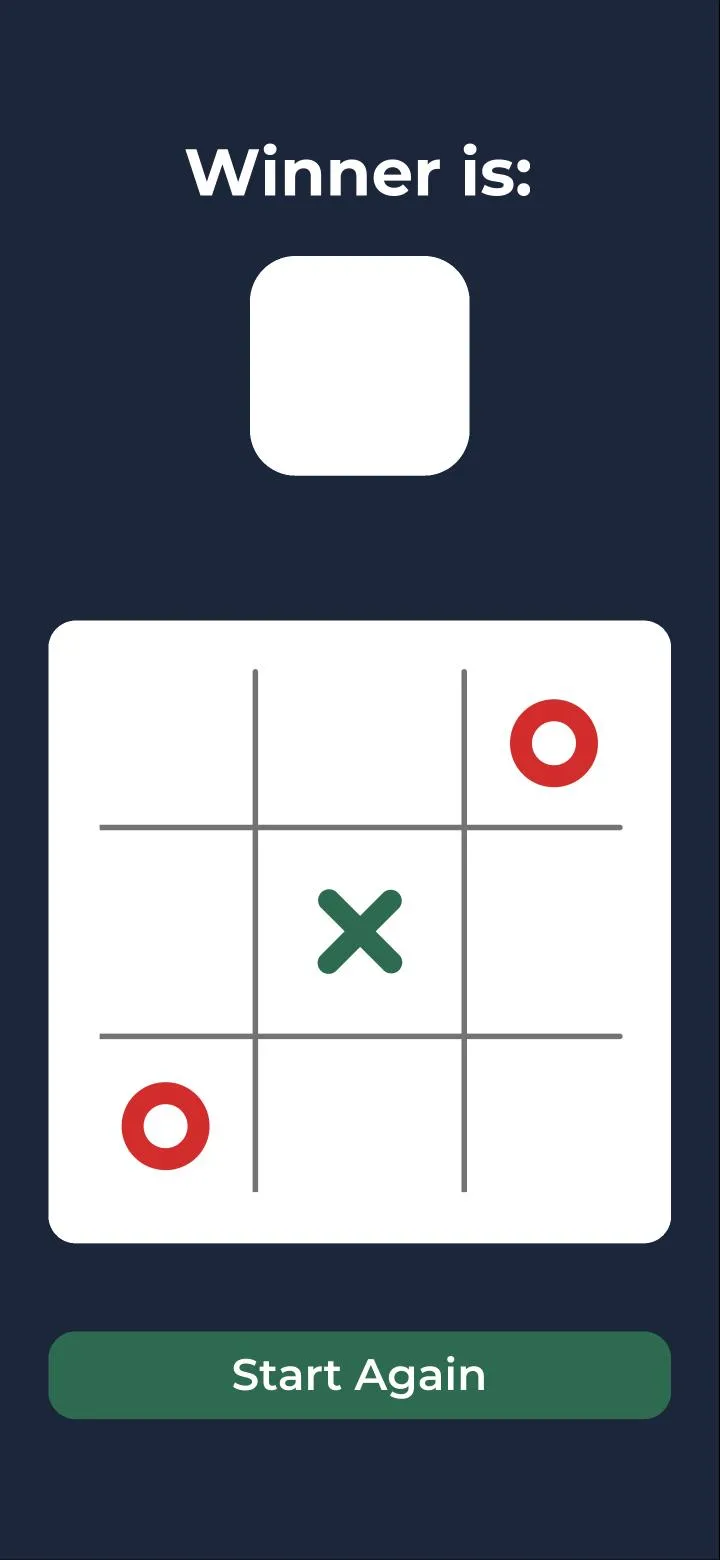
02Turns pass on their own
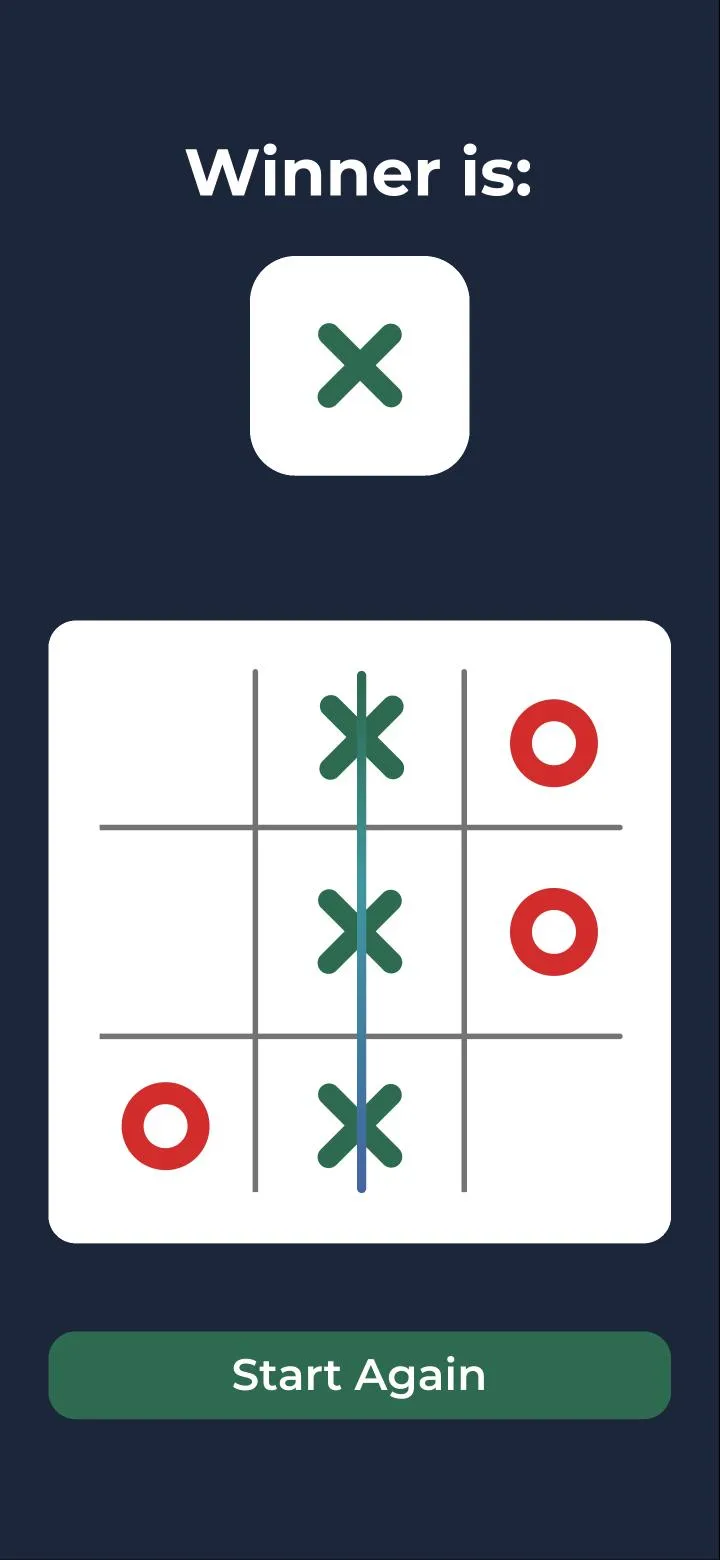
03A completed line ends it
What I was practising
Interactive components. I wanted a prototype that changes on its own, based on its state and what you tap, rather than a click-through of screens I had drawn in advance. Tic-tac-toe is small enough to finish and strict enough to expose a shortcut: every cell has to know whose turn it is, and the board has to know when the game is over.
How it's built
One component, cells, with twelve variants: one for each of the nine positions, plus the X mark, the O mark and the winner display. Each position is tied to its own variable, c1 to c9. Two more variables carry the game:currentPlayer for whose turn it is, and winner for the result. One tap updates the cell, the turn and, when it ends the game, the winner box. That is the state management and cross-component control I set out to practise.
Choosing who starts
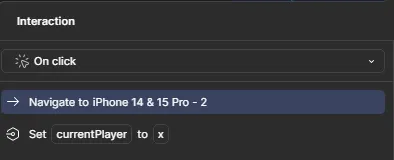
Each start button slides to the board and sets currentPlayer to its own mark. Everything after that reads the variable, so who goes first is decided in one place.
Placing a mark, and checking for a win
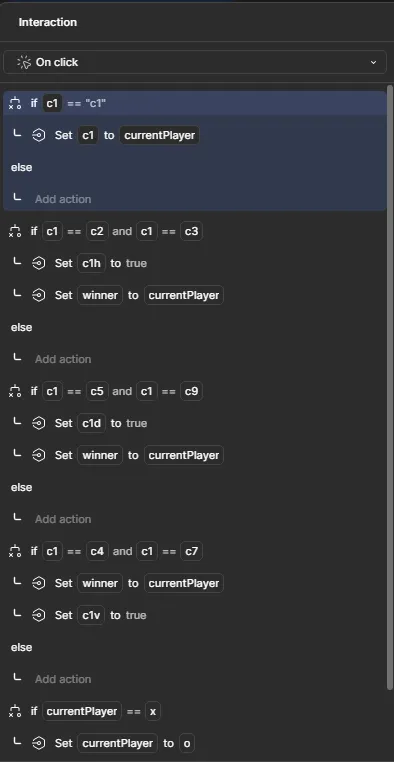
The hardest part, and the reason this is a game rather than a drawing of one. The trick that made it work: an empty cell holds its own name. c1starts as “c1”, c2 as “c2”, and so on. So three empty cells can never look like a line, because a cell only equals its neighbours once the same player has marked all three. The same value is the empty check: a tap only places a mark if c1 still equals “c1”.
Then the cell checks only the lines that run through it. The top-left cell compares itself with c2 and c3 for its row,c5 and c9 for its diagonal, and c4 andc7 for its column. A match sets winner and switches on that line’s strike. Last, the turn passes: if it was x, it becomes o.
There are eight strikes, one per line, each a true-or-false switch named after a cell on that line: c1h, c4h and c7h for the rows, c1v, c5v and c9v for the columns, c1d and c7d for the diagonals. The one that turns true is the line you see drawn through the board.
The winner box
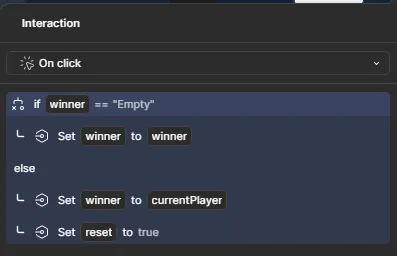
The box at the top is the twelfth variant, and it shows whoeverwinner holds. winner starts as “Empty”, the same trick as the cells, so the game can tell “nobody has won yet” apart from a result. The box’s own rule keeps it that way: while winner is still “Empty”, a tap changes nothing. Once there is a result, it records currentPlayerand sets reset to true.
Starting again
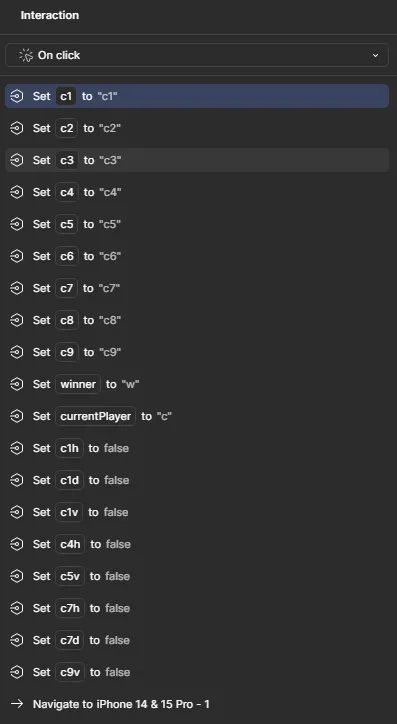
Start Again puts everything back in one tap. Each cell gets its own name again,winner and currentPlayer go back to placeholder values, all eight strikes switch off, and you land on the start screen to choose who goes first.